Shopify B2B 2026: Features by Plan, 3 Catalogs Outside Plus
Shopify B2B read on November 4, 2026: included at no extra cost on Basic, Grow, Advanced and Plus, with 3 catalog assignments below Plus. Limits and setup.
 Nicolas ProvostNov 4, 2026 · 13 min read
Summarize this article with an AI
 ChatGPT
 Claude
Table of contents (12)
Key takeaways
- Since a changelog post of April 2, 2026, Shopify B2B runs on Basic, Grow and Advanced as well as Plus, at no additional cost (read on November 4, 2026).
- Below Plus, a store can have up to 3 active catalog assignments across its B2B markets; Plus has no limit and can assign catalogs directly to companies.
- Net payment terms of 7, 15, 30, 45, 60 or 90 days work on every B2B plan, while deposits and partial payments stay exclusive to Plus.
- A B2B order is capped at 500 line items, and Shop Pay, subscriptions and legacy customer accounts do not work with B2B.
Shopify B2B is Shopify's built-in set of wholesale features: company profiles, catalogs with wholesale prices, quantity rules, volume pricing and net payment terms. Since a changelog post of April 2, 2026, it runs at no additional cost on Basic, Grow and Advanced as well as Plus, with up to 3 active B2B catalogs below Plus and unlimited catalogs on Plus. The Help Center adds that it isn't available on the Starter or Retail plans.
This guide reads Shopify's Help Center and changelog as they stood on November 4, 2026: what each plan gets, how companies, catalogs, quantity rules and payment terms work, the limits outside Plus, and the setup steps.
What is Shopify B2B?
Shopify describes B2B as a suite of native features for selling business-to-business through the Shopify admin and online store. There is no app to install. Your wholesale buyers are recorded as companies, and once a buyer logs in, the store shows that company's pricing, currency, products, payment and shipping methods and store content instead of the retail ones.
Shopify's B2B page lists the building blocks:
- Company profiles with several buyers and locations, permission levels, payment terms, tax exemptions and payment methods.
- Quantity rules (minimums, maximums, case packs and increments) and volume pricing with quantity price breaks.
- Checkout to draft, so an order can be submitted for review and approved before you fulfill it.
- PO numbers captured at checkout, easy reordering from the customer account and vaulted credit cards.
- Company account requests through Shopify Forms: buyer information is saved as a company, ready to buy wholesale once you approve it.
Which B2B features does each Shopify plan get?
Most of B2B is the same on every eligible plan. Shopify's changelog lists what reached Basic, Grow and Advanced on April 2, 2026: up to 3 active B2B catalogs assigned via Markets, company profiles, payment terms, volume pricing, ACH payments (US only) and vaulted credit cards, at no additional cost.
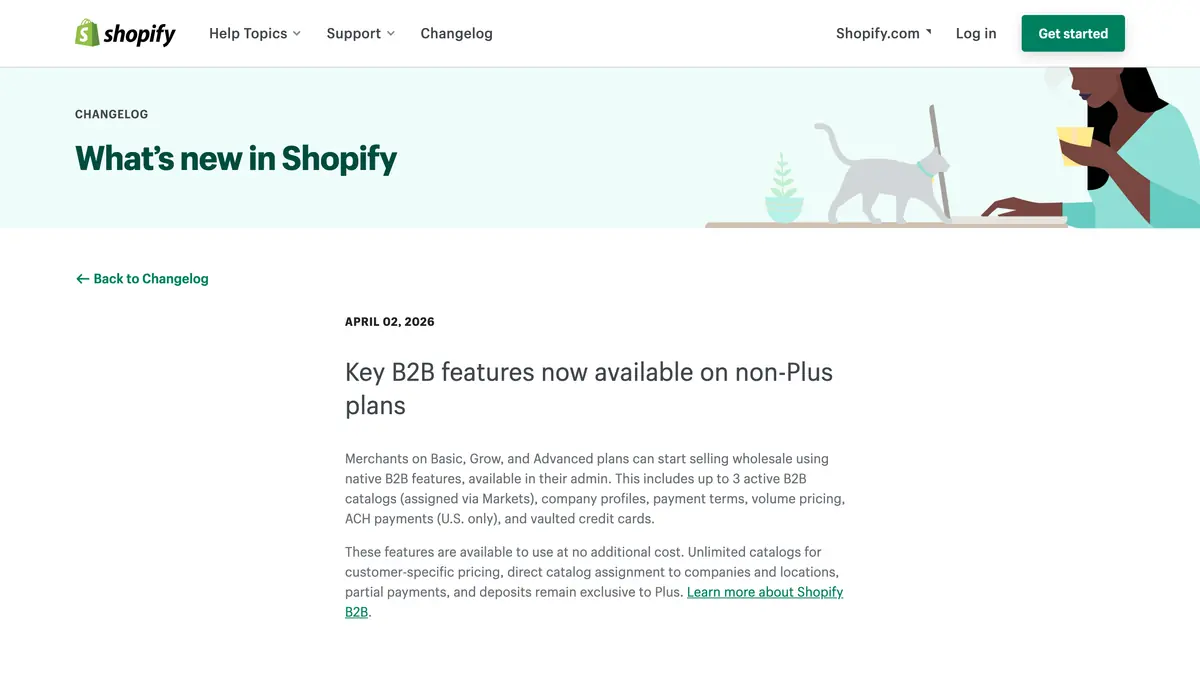 Source: Shopify changelog, "Key B2B features now available on non-Plus plans", read on November 4, 2026.
The Help Center's B2B features by plan page gives the detail:
| Feature | Basic | Grow | Advanced | Plus |
|---|---|---|---|---|
| Companies, company locations, location-level permissions | Yes | Yes | Yes | Yes |
| Active catalog assignments to active B2B markets | 3 | 3 | 3 | Unlimited |
| Catalogs assigned directly to a company or location | No | No | No | Yes |
| Quantity rules and quantity price breaks | Yes | Yes | Yes | Yes |
| Net terms, payment reminders, vaulted credit cards | Yes | Yes | Yes | Yes |
| ACH (United States only) | Yes | Yes | Yes | Yes |
| Deposits, partial payments, payment requests per fulfillment | No | No | No | Yes |
| Draft order to invoice, checkout to draft, easy reorders, PO numbers | Yes | Yes | Yes | Yes |
| Sales staff permissions | Yes | Yes | Yes | Yes |
| Trade theme and quick order list | Yes | Yes | Yes | Yes |
| Contextual checkout and storefront (using Shopify Markets) | No | No | Yes | Yes |
| Shopify Flow with B2B objects | Yes | Yes | Yes | Yes |
Source: Shopify Help Center, B2B features by plan, read on November 4, 2026.
The catalog line needs a closer look. On Basic, Grow and Advanced, the plan features page counts active catalogs separately for each active B2B market they're assigned to: assigning the same catalog to 2 markets uses 2 of your 3 assignments. To free one up, remove the catalog from a market or set it to Draft. Three price tiers, such as retailers, distributors and an export price list, fit within the limit. A negotiated price per customer does not: that takes direct catalog assignment, which is Plus only.
How much does Shopify B2B cost?
Nothing on top of your plan: the Help Center's requirements page says B2B is included at no added cost on Basic, Grow, Advanced and Shopify Plus. You pay your subscription and the payment fees on each order, both covered in our guide to Shopify pricing.
One nuance on Plus: the same page says that, if applicable, B2B and D2C orders have different variable platform fee rates, and to contact Shopify Support for details. Our guide to Shopify Plus pricing explains when that fee applies.
Two Shopify tools that appear in the B2B features are listed as free: the Trade theme, which Shopify describes as designed for wholesale, and the Shopify Forms app for account requests.
Blended store or dedicated B2B store?
This is the first decision, and Shopify's store type page warns that it's not easy to change later: switching means redoing most of your setup work.
| Blended store | Dedicated store | |
|---|---|---|
| What it is | One store and admin for D2C and B2B | A separate Shopify store used only for B2B |
| Inventory | Shared between B2B and D2C | Separate by default |
| Store gating (B2B-only access) | Not available | Available |
| Shopify recommends it when you | Sell similar products to both, share inventory, have the same staff on both | Want a separate B2B experience, distinct inventory, a gated store or different staff |
Source: Shopify Help Center, store types, read on November 4, 2026.
A dedicated store is a net-new Shopify store or an existing expansion store adapted for B2B. For a brand that already sells direct and adds a few dozen retailers, the blended store is the simpler starting point: one set of products, one stock count, one admin.
How do you set up companies and buyers?
Everything starts in Customers, then Companies:
- A company is the parent organization.
- A company location is the business you actually sell to. Each location has its own tax settings, addresses, pricing, payment terms and contacts.
- Customers are the people attached to a company who log in and place orders.
| Item | Limit |
|---|---|
| Companies | Unlimited |
| Locations per company | Up to 10,000 |
| Customers per company | Up to 10,000 |
| Customers per company location | Up to 50 |
| Catalogs per company location | Up to 25 |
Source: Shopify Help Center, creating companies, read on November 4, 2026.
Two checkout settings matter when you create a company: whether its orders are submitted automatically or held as drafts for your review, and whether it can ship to a one-time address. On taxes, each location can carry a tax ID and be set to collect tax, not collect it, or collect unless exemptions apply.
One technical requirement: the requirements page says you must activate customer accounts, because legacy customer accounts can't be used for B2B orders and customers.
How do catalogs, quantity rules and volume pricing work?
A B2B catalog is the products and prices you offer a group of buyers. You include or exclude products, apply a percentage adjustment to the whole catalog and set fixed prices on individual products. Below Plus, you assign it to a B2B market, which offers it to the company locations in that market; our guide to Shopify Markets explains how markets work.
Two more tools sit inside the catalog, described on the quantity rules page:
- Quantity rules. For each product or variant: an increment (sell in cases of 6, for example), a minimum and a maximum. Rules apply to each variant on its own: Shopify's example is that a customer can't combine 5 gray hats and 5 blue hats to meet an increment of 10.
- Volume pricing. Up to 10 price breaks per product, applied to each variant. Once you add volume pricing to a product, its price becomes fixed, and the catalog's overall percentage adjustment no longer applies to it.
Both can be set in the Catalogs section of the admin or imported by CSV, which saves time on a large catalog.
How do payment terms work?
Payment terms set how long a company location has to pay:
| Payment terms | When payment is due |
|---|---|
| No payment terms (default) | Right away |
| Net 7, 15, 30, 45, 60 or 90 | Within that number of days |
| Due on fulfillment | Once the order's items are fulfilled |
| Fixed date | On a set date (individual draft orders only) |
Source: Shopify Help Center, payment terms, read on November 4, 2026.
What to know before you offer terms:
- All terms start from the day the order is placed.
- The buyer can pay at any time before the due date by logging in, selecting the order and clicking Pay now.
- Nothing is charged automatically at the due date. Shopify states that payments aren't captured when the terms expire: you charge the saved card in your admin or record a manual payment.
- Deposits are Plus only, like partial payments.
Terms move the credit risk to you: Shopify provides the tool, not a guarantee of payment.
What does a wholesale order look like? A worked example
The brand is fictional. It sells a candle at $24 retail and opens wholesale to boutiques on the Grow plan, in a blended store.
- Catalogs. Three catalogs, one per B2B market: "US retailers", "US distributors" and "Canada retailers". That uses all 3 assignments. A fourth tier means retiring one or moving to Plus.
- Quantity rules on the candle. Minimum 12, increment 6, so buyers order 12, 18, 24 and so on.
- Volume pricing in the retailer catalog. $12.00 from 12 units, $11.00 from 24, $10.50 from 48.
- The order. A boutique on net 30 orders 48 candles on November 4: 48 × $10.50 = $504, due on December 4.
- Getting paid. The boutique can pay from its account before December 4. If it doesn't, nothing is charged automatically: you charge its vaulted card or record its bank payment.
Compared with the retail price, the boutique pays $504 instead of 48 × $24 = $1,152. The quantity rules keep orders in full cases, and the price breaks reward the larger order.
What are the limits of Shopify B2B?
The requirements page lists what doesn't work with B2B:
- accelerated checkouts: Shop Pay, Apple Pay, Google Pay and Amazon Pay;
- local delivery (available for B2B draft orders only) and pickup points;
- tipping options and subscriptions;
- legacy customer accounts and agentic storefronts;
- checkout.liquid customizations and some third-party apps.
Pickup in store, abandoned checkouts and gift cards at checkout are off by default for B2B; the store owner can ask Shopify Support to turn them on. Orders and draft orders are capped at 500 line items, and an order only gets B2B prices if the buyer is linked to a company location; otherwise D2C rates apply.
Outside Plus, add the plan limits from the table above: 3 catalog assignments, no catalog per customer, no deposits or partial payments, and contextual checkout and storefront only from Advanced.
How do you set up Shopify B2B, step by step?
Shopify's blended store checklist gives this order:
- Review the requirements above, and move any existing wholesale customers into companies.
- Create companies and company locations in the admin, by bulk import or through the API.
- Create catalogs with products, prices, quantity rules and price breaks, and assign them through your B2B markets.
- Activate customer accounts so buyers can log in to see their prices.
- Set up payment and shipping methods, and limit some of them to B2B or D2C with Checkout Blocks or an app if needed.
- Customize the store (optional). The free Trade theme includes a quick order list for bulk ordering.
- Give sales staff access (optional) to take orders for their assigned company locations.
- Add extras (optional): account requests, market-based discounts and Shopify Flow automations, which support companies and company locations.
- Test and launch. Test pricing and the B2B and D2C experiences with a test customer, then invite your buyers to log in.
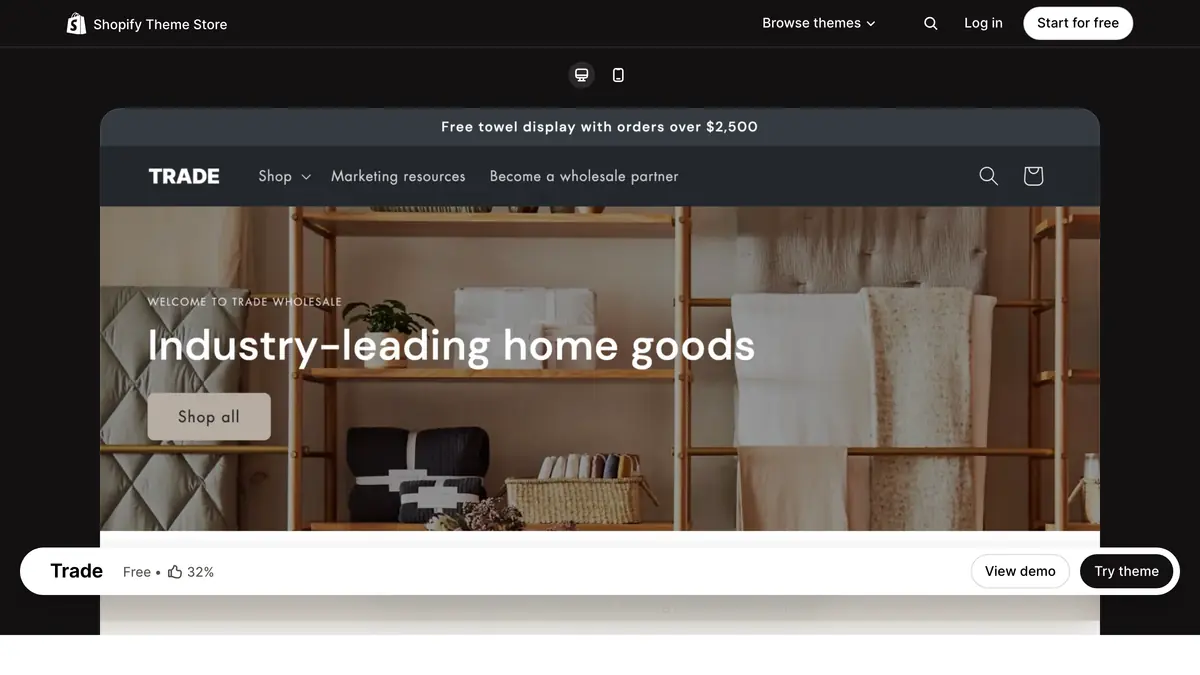 Source: Trade on the Shopify Theme Store, read on November 4, 2026.
Where does WhatsApp fit in wholesale?
Shopify B2B handles prices, orders and payment terms. The day-to-day contact with buyers happens elsewhere: a store owner asking where a shipment is, a buyer reordering the same case, a question about a new product. For the order status questions, our guide to WISMO covers how stores answer them before they pile up.
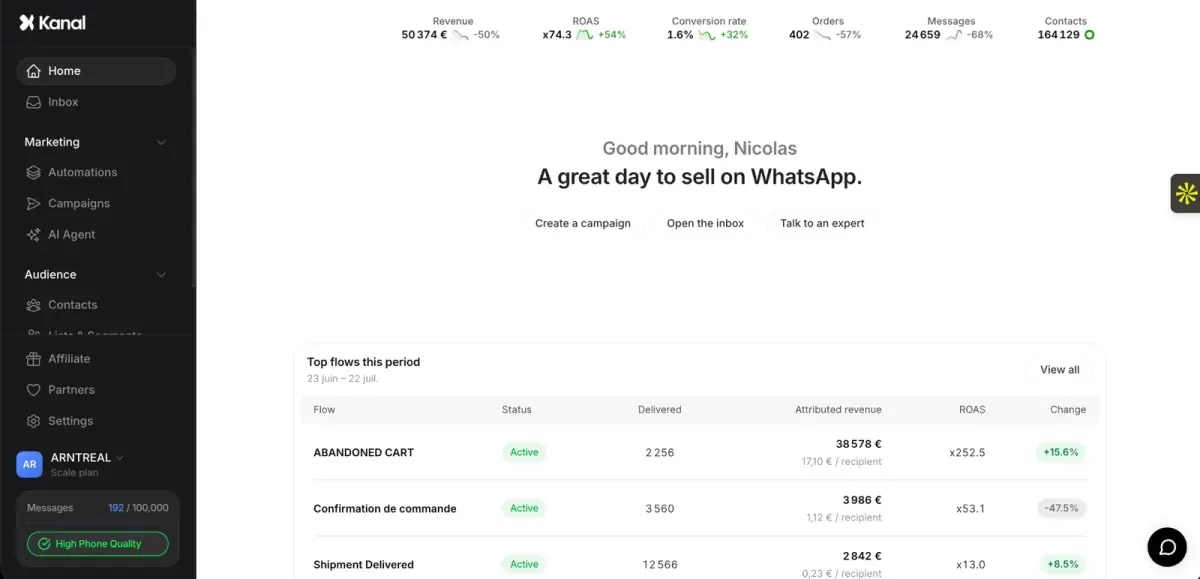
Kanal, our WhatsApp marketing app for Shopify, adds that channel to the store. Its order notifications send order confirmations, shipping updates and delivery notifications on WhatsApp, its shared team inbox lets your team answer buyers in one place, and WhatsApp campaigns can be sent to segments of your contacts. Kanal does not manage companies, catalogs or payment terms: those stay in Shopify B2B.
Two WhatsApp rules shape what you can send. Meta's per-user marketing limits page states that WhatsApp does not currently deliver marketing template messages to US phone numbers, so a reorder promotion won't reach a US buyer as a marketing template; our article on WhatsApp marketing in the USA explains what still works. Meta's pricing page defines utility templates as messages with transactional or informational objectives, such as an order confirmation, and states that a 24-hour customer service window opens when a buyer writes to you, during which you can reply with free-form messages. Kanal's plans are Pro at €89, Scale at €149 and Business at €350 a month on the Kanal pricing page read on November 4, 2026, with Meta's message fees on top.
Shopify B2B at a glance
| Item | Rule on November 4, 2026 | Source |
|---|---|---|
| Eligible plans | Basic, Grow, Advanced and Plus; not Starter or Retail | Help Center |
| Extra cost | None beyond your plan | Help Center |
| Catalogs | 3 active assignments below Plus, unlimited on Plus | Help Center |
| Catalog per company | Plus only | Help Center |
| Payment terms | Net 7, 15, 30, 45, 60 or 90, due on fulfillment, fixed date on draft orders | Help Center |
| Deposits and partial payments | Plus only | Help Center |
| Volume pricing | Up to 10 price breaks per product | Help Center |
| Order size | Up to 500 line items | Help Center |
Shopify B2B now covers most wholesale needs from the Basic plan up. Decide between a blended and a dedicated store first, map your price tiers to the 3 catalogs you get below Plus, set terms company by company, and test the whole flow with a test customer before you invite your buyers.
See Kanal on your own store
- Your campaigns and cart reminders on WhatsApp, starting from your own store
- Post-purchase offers, back-in-stock alerts, then the AI agent that advises your customers
- You leave with the plan that fits and its price
From €89/month
- brands
- 500+
- to set up
- 5 min
- open rate on WhatsApp
- +90%
Nicolas helps e-commerce brands grow revenue with WhatsApp marketing. With deep expertise in Shopify ecosystems and conversational commerce, he shares proven strategies for abandoned cart recovery, broadcast campaigns, and AI-powered customer engagement.